
Introduction
General contractors, responsible for overseeing construction projects, can immensely benefit from leveraging the power of design software. From precise planning to efficient material management, the right design tool can be a game-changer, streamlining complex projects and enhancing client communication. Here is a curated list of the most valuable design software that could take your contracting business to new heights.
| Software | Key Features |
| AutoCAD | Versatile 2D and 3D modeling, industry-standard, efficient collaboration with architects |
| MSMV Design Software | Realistic models, clear visual instructions, one-stop solution with invoicing and time tracker |
| Revit | Building Information Modeling, 4D construction simulation, cloud collaboration for teams |
| Chief Architect | Middle ground between complexity and usability, smart design objects, 3D rendering for effective client presentations |
| Procore | Construction management focus, real-time project connectivity, integration with design software |
1. AutoCAD
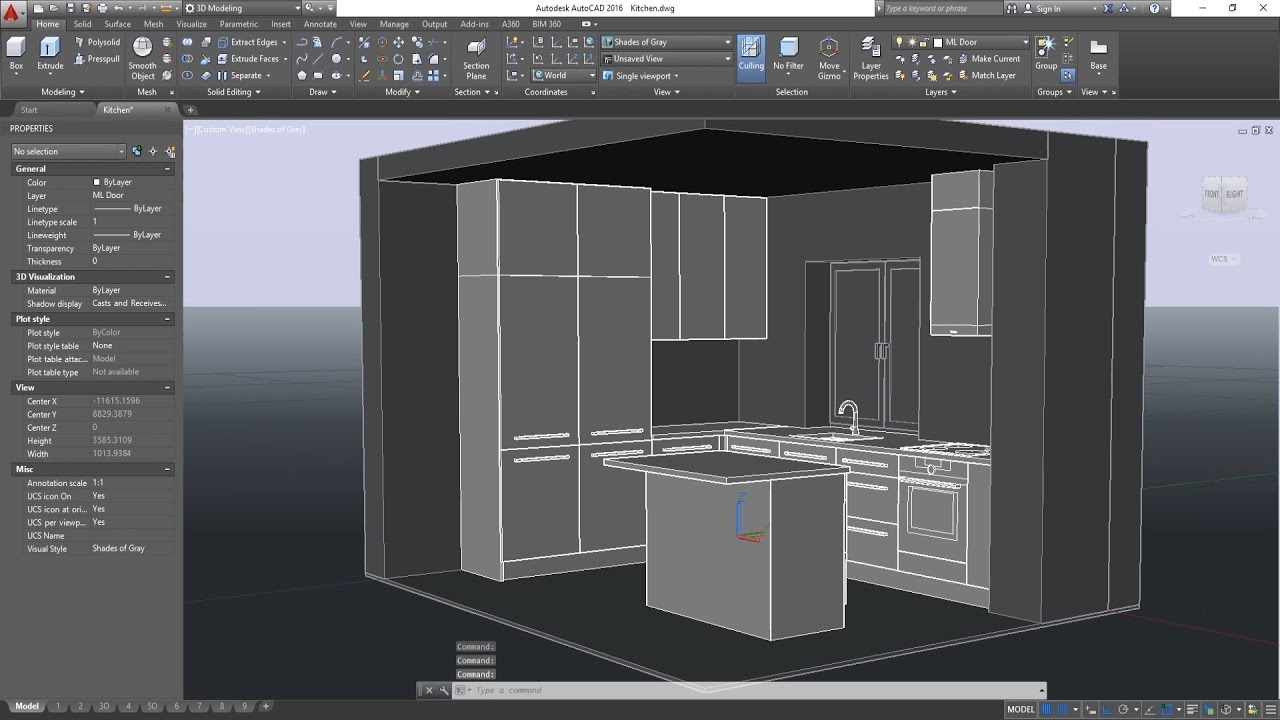
No list of design software is complete without the inclusion of AutoCAD, the venerable leader in the world of computer-aided design (CAD). As a general contractor, you’ll appreciate its versatility and industry-wide standard status. AutoCAD allows you to create precise 2D and 3D models, which is ideal for everything from initial blueprints to detailed building plans and MEP (mechanical, electrical, and plumbing) systems. Its expansive library of commands, automated measurements, and scalability for small to large projects make it a worthy investment.
AutoCAD also enables efficient collaboration with architects and engineers, as the software integrates well with others using file formats like .DWG and .DXF. It’s no wonder that AutoCAD has been the go-to software for design and drafting for decades, consistently staying ahead with regular updates and new features, catering to the evolving needs of the construction industry.
2. MSMV Design Software

MSMV Design Software is known for its simplicity and power for general contracting. This software specializes in developing realistic models that can help contractors visualize the final product, inscribing a strong imagination of the project at hand. With clear visual instructions, contractors and their clients can be on the same page from the early stages, reducing errors and unexpected changes.
Invoicing feature and time tracker of MSMV Design Software makes it a one-stop solution for contractors. The software also includes libraries with various types of decoration and building materials, making it an easy tool to achieve a realistic rendering and visual representation of the project. Its user-friendly interface requires no prior design experience, so contractors can easily learn and utilize its features in their projects.
3. Revit

Revit, an Autodesk product, is a Building Information Modeling (BIM) software popularly used in the construction industry. With an emphasis on building family components and 4D construction simulation, Revit is more than a design tool—it’s a key player in project lifecycle management. General contractors find Revit to be intuitive and effective in capturing all stages of construction, from concept to completion.
One of Revit’s standout features is its ability to create a model that behaves as a real building would, analyzing energy output and simulating building performance. This makes it an invaluable tool for contractors looking to optimize for sustainability and comfort. Additionally, Revit’s cloud collaboration ensures that all stakeholders have real-time access to the project, fostering seamless teamwork and enhanced communication.
4. Chief Architect
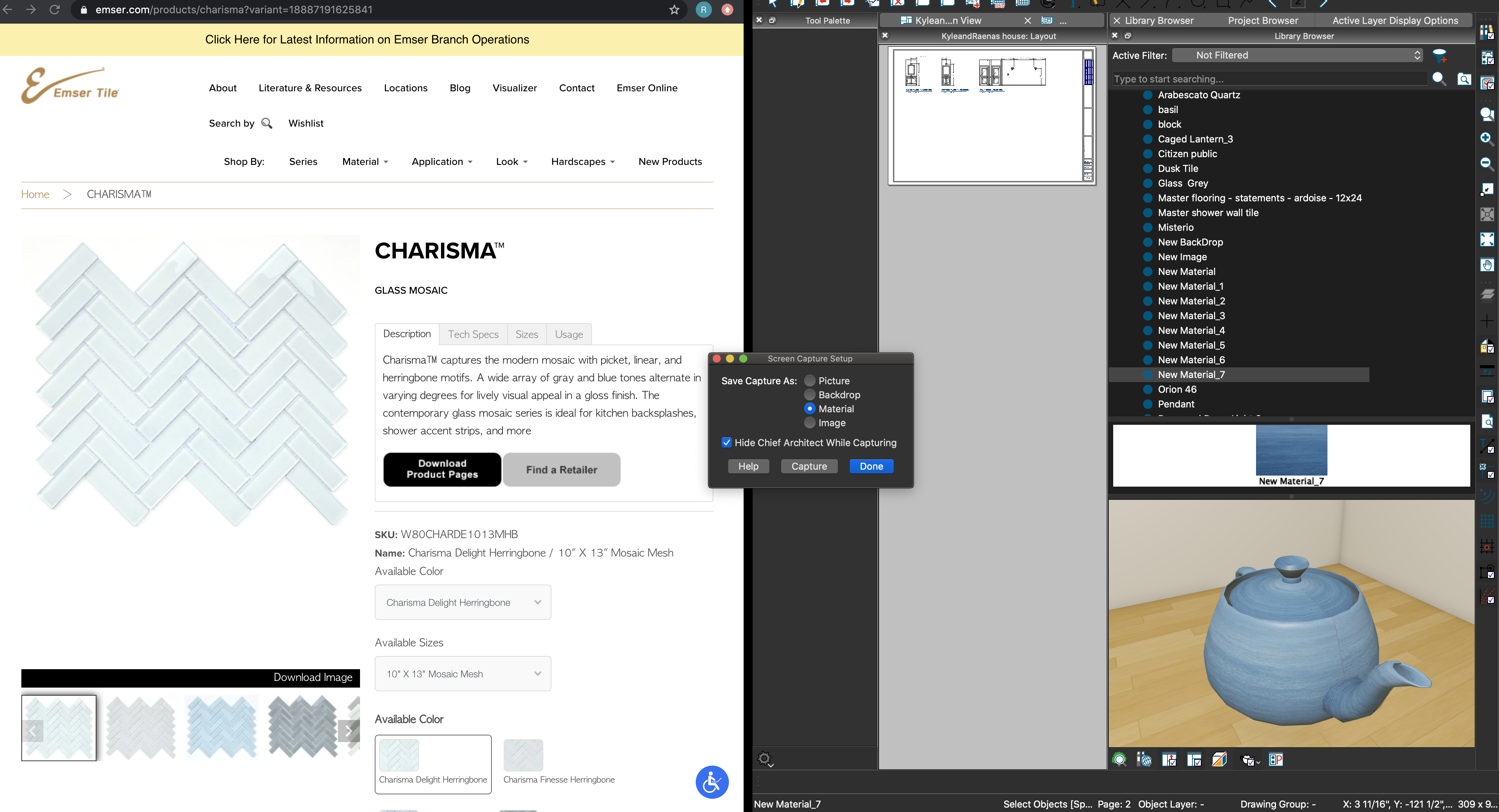
Chief Architect is positioned as a perfect middle ground between complexity and usability, particularly fitting for general contractors who value a design tool that is robust yet approachable. Its focus on residential and light commercial design is beneficial for those in the contracting world who manage a diverse range of projects. The software’s Smart Design Objects and a comprehensive library of architectural elements expedite the design process, enabling quick drafts and iterations.
What differentiates Chief Architect is its extensive list of building tools and automated features. For instance, its Roof Design tools make creating complex roof systems, such as gables and dormers, an intuitive process. Furthermore, Chief Architect is well-suited for presentations, with its 3D rendering capabilities allowing you to create videos and 360-degree panoramas to showcase designs to clients effectively.
5. Procore
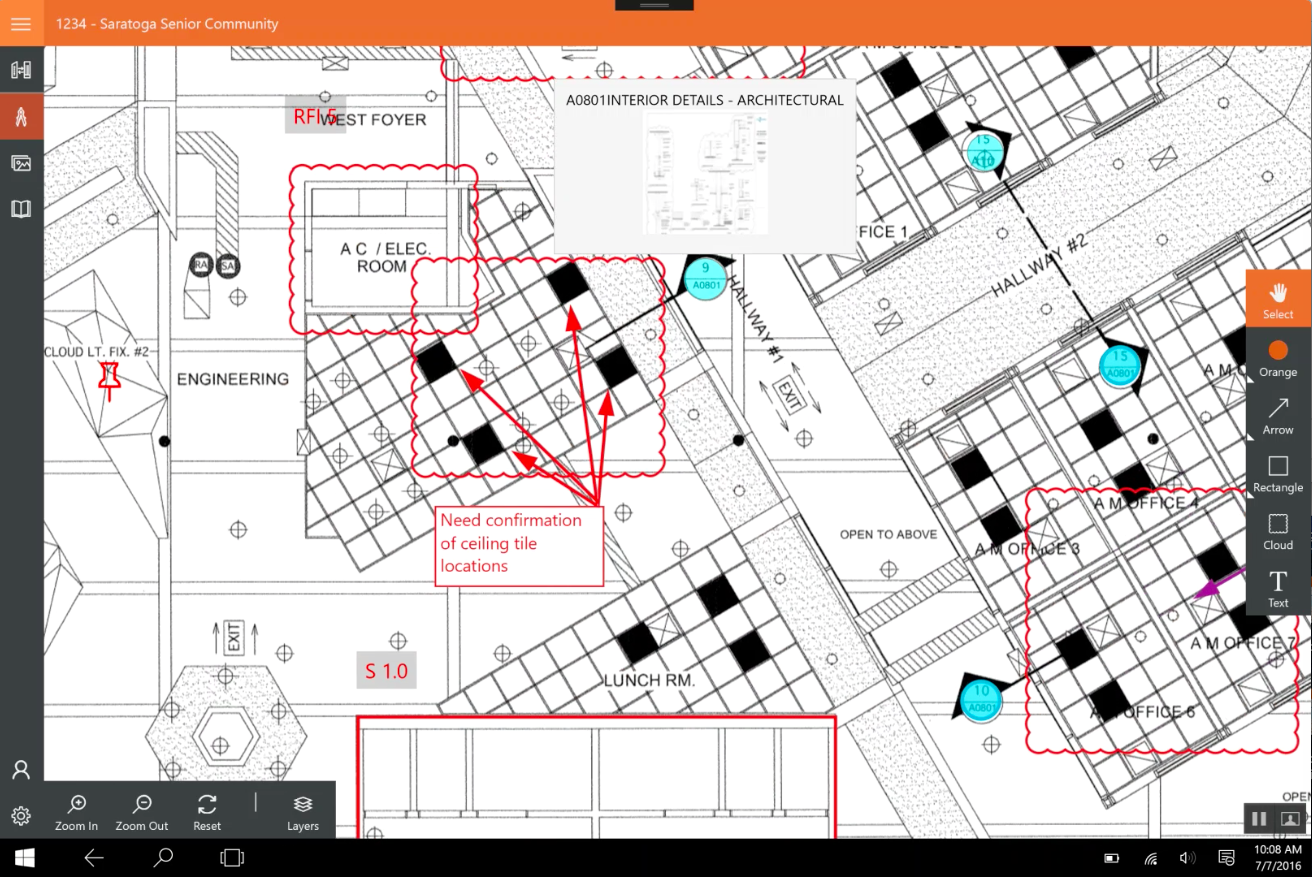
While Procore isn’t a traditional design software, it is paramount in the construction management field. Procore offers a unified platform where project teams can connect their people, projects, and data in real time. For the general contractor, Procore ensures that while design is important, it’s effective project management and collaboration that bring a construction project to life seamlessly.
Procore offers robust features for document management, project scheduling, budget tracking, and quality and safety compliance. Its mobile app means you can stay updated and manage your projects on the go. The platform’s open API facilitates integration with design software like AutoCAD and Revit, ensuring that all your tools work in tandem to deliver a smooth and successful construction project.
Conclusion
The choice of design software for a general contractor is pivotal, playing a critical role in every stage of a project. These software options represent the best-in-class for different aspects of the contracting business, from initial designs to project management, collaboration, and project lifecycle maintenance. By selecting the right tool, general contractors can ensure not only the visual aspect of the project is top-notch but that every aspect of the construction process is managed with efficiency and precision.
FAQ
How does MSMV Design Software benefit general contractors?
MSMV Design Software focuses on simplicity and power, creating realistic models for better visualization. With features like an invoicing system and time tracker, it serves as a one-stop solution. The user-friendly interface requires no prior design experience, making it accessible for contractors, while clear visual instructions reduce errors and changes.
Are there specific 3D design software options tailored for kitchen renovations in the construction industry?
Yes, several 3D design tools cater to kitchen renovations. Software like SketchUp and MSMV Design Software offers specialized features for creating detailed 3D models of kitchen spaces. These tools help general contractors visualize and plan kitchen layouts effectively, considering factors like cabinetry, appliances, and lighting.
Can 3D design software help in optimizing kitchen spaces for efficiency and functionality?
Absolutely. 3D design software enables general contractors to experiment with various layouts and configurations, optimizing kitchen spaces for maximum efficiency and functionality. This includes strategically placing appliances, cabinets, and workspaces to enhance the workflow, providing clients with a practical and aesthetically pleasing kitchen design.
How can 3D design software assist in material selection for kitchen remodeling projects?
3D design tools offer a comprehensive view of the kitchen space, allowing general contractors to experiment with different materials virtually. This aids in material selection for cabinets, countertops, flooring, and backsplashes. Contractors can showcase realistic material options to clients, ensuring informed decisions aligning with their vision.